



|
Name |
Everything Widgets |
|---|---|
|
Google Play Link |
GET IT ON
Google Play
|
|
Category |
Personalization |
|
Developer |
JustNewDesigns |
| Last version | 2.1.017 |
|
Updated |
|
|
Compatible with |
Android 12+ |
Introduction to Everything Widgets MOD APK
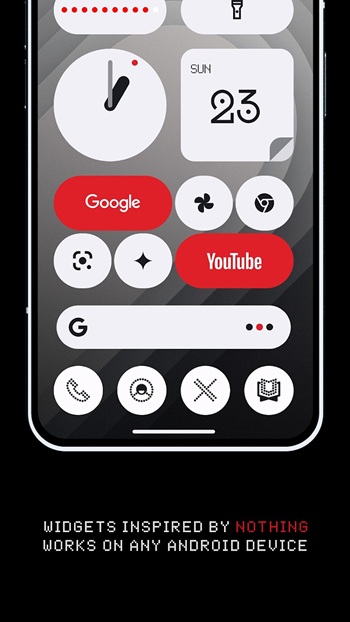
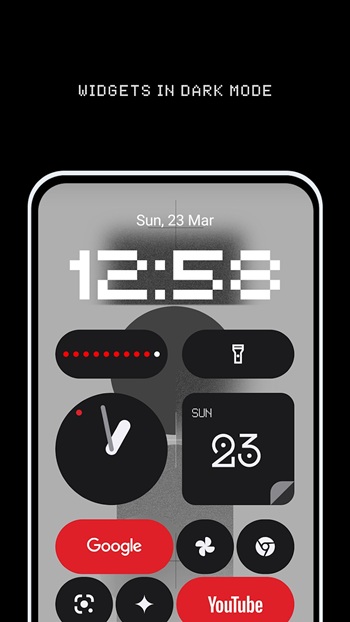
Everything Widgets MOD APK is an Android personalization app made for users who want a cleaner, smarter, and more stylish home screen. It focuses on widgets inspired by the Nothing OS look, using simple layouts, soft minimal design, and practical tools that fit well on modern Android devices.
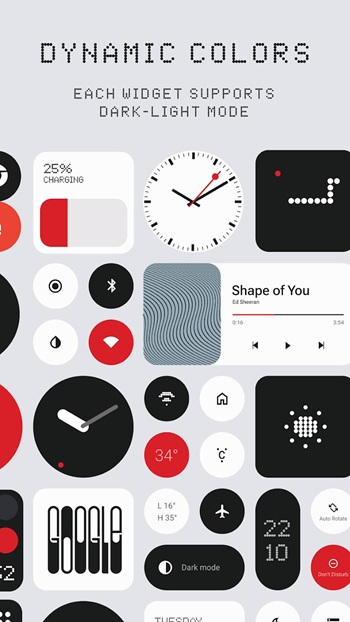
The app is used to customize your phone screen with ready-made widgets. You can add clocks, calendars, battery panels, weather blocks, quick setting controls, contact shortcuts, photo frames, notes, quotes, and utility tools. The main idea is simple: make your home screen useful without turning it into a messy control room.
One of its biggest strengths is convenience. Many widget packs need extra tools like KWGT, but Everything Widgets is designed to work directly on Android. You choose a widget, place it on the home screen, resize it, and adjust the layout based on your style. That saves time, especially for users who like changing setups often.
The widget collection is quite broad. It includes daily tools like battery status, weather updates, step counter, calculator, compass, to-do lists, and quick toggles for common phone settings. There are also visual extras such as photo widgets, quote cards, Google app-style widgets, and matching wallpapers. The result feels practical, clean, and a little fun without being over the top.
Everything Widgets MOD can be helpful for people who care about both looks and function. It suits students, office users, creators, minimalist setup fans, and anyone who checks information from the home screen often. A calendar widget can help with planning. A battery widget saves a quick swipe. A notes widget keeps small reminders visible, which is useful when your brain has 47 tabs open.
There are a few limitations to keep in mind. Some widgets may depend on device support, Android version, launcher behavior, or permissions. Weather, step count, and quick setting widgets may need access to specific phone features. MOD versions can also vary by source, so users should be careful about file safety, updates, and stability before installing anything outside official stores.
FAQs Everything Widgets
What is Everything Widgets MOD APK?
+
Everything Widgets MOD APK is an Android customization app that provides stylish home screen widgets, including clocks, calendars, weather panels, quick tools, notes, photos, and wallpapers.
What is Everything Widgets MOD used for?
+
It is used to personalize your Android home screen with functional widgets that show useful information and give your setup a clean Nothing OS-inspired style.
Does Everything Widgets MOD need KWGT or another widget app?
+
The original app is designed to work natively on Android, so users can add widgets directly without relying on KWGT or similar third-party widget builders.
Who should use Everything Widgets MOD APK?
+
It is suitable for Android users who want a neat home screen, quick access to daily tools, and a minimalist widget layout for productivity, style, or simple convenience.
Are there any risks when installing Everything Widgets MOD APK?
+
Yes. MOD APK files from unofficial sources may carry security, update, or stability risks, so users should check the source carefully and understand the permissions before installing.
Discover More Interesting Apps
-
 Mod
Mod
Sticlo Icons
v2.6
25 MB
Updated -
Mod
Minimal Widgets
v2.2.11
17.19 Mb
Updated -
Mod
WallsPy Interactive Wallpapers
v5.8.1
38.38 Mb
Updated -
Mod
Lumos
v1.2.7
36 MB
Updated -
Mod
Always On Edge
v9.7.9
8.10 Mb
Updated -
Icon Pack Studio
v2.5 build 001
60.24 Mb
Updated -
App Mayor
v2.3.0
62.36 Mb
Updated -
Mod
Screen Color Filter
v6.16.2
22.99 Mb
Updated -
Mod
Niagara Launcher
v1.16.33
13.46 Mb
Updated -
Mod
Parallel Space
v4.0.9620
57.80 Mb
Updated










Share Your Thoughts